

Turn your online store into a professional and profitable point of sale
An advanced POS system to sync in-store and online sales, manage inventory, apply discounts, generate barcodes, and operate even offline. The perfect tool to scale your business and enhance your customers’ experience.
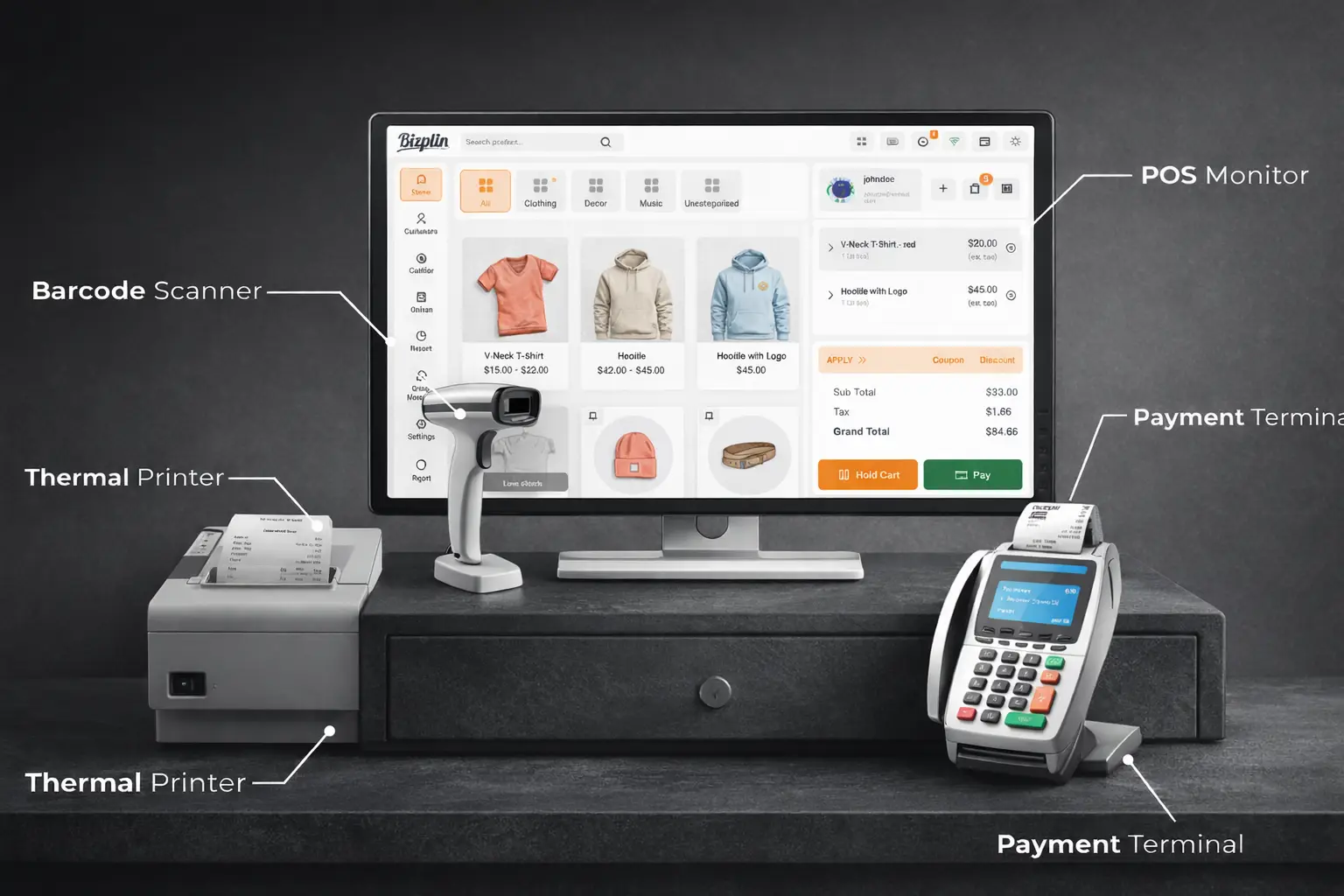
POS Agent Terminal
The POS user or agent can manage sales and customers at the assigned point of sale using a variety of tools to efficiently operate and oversee the system.
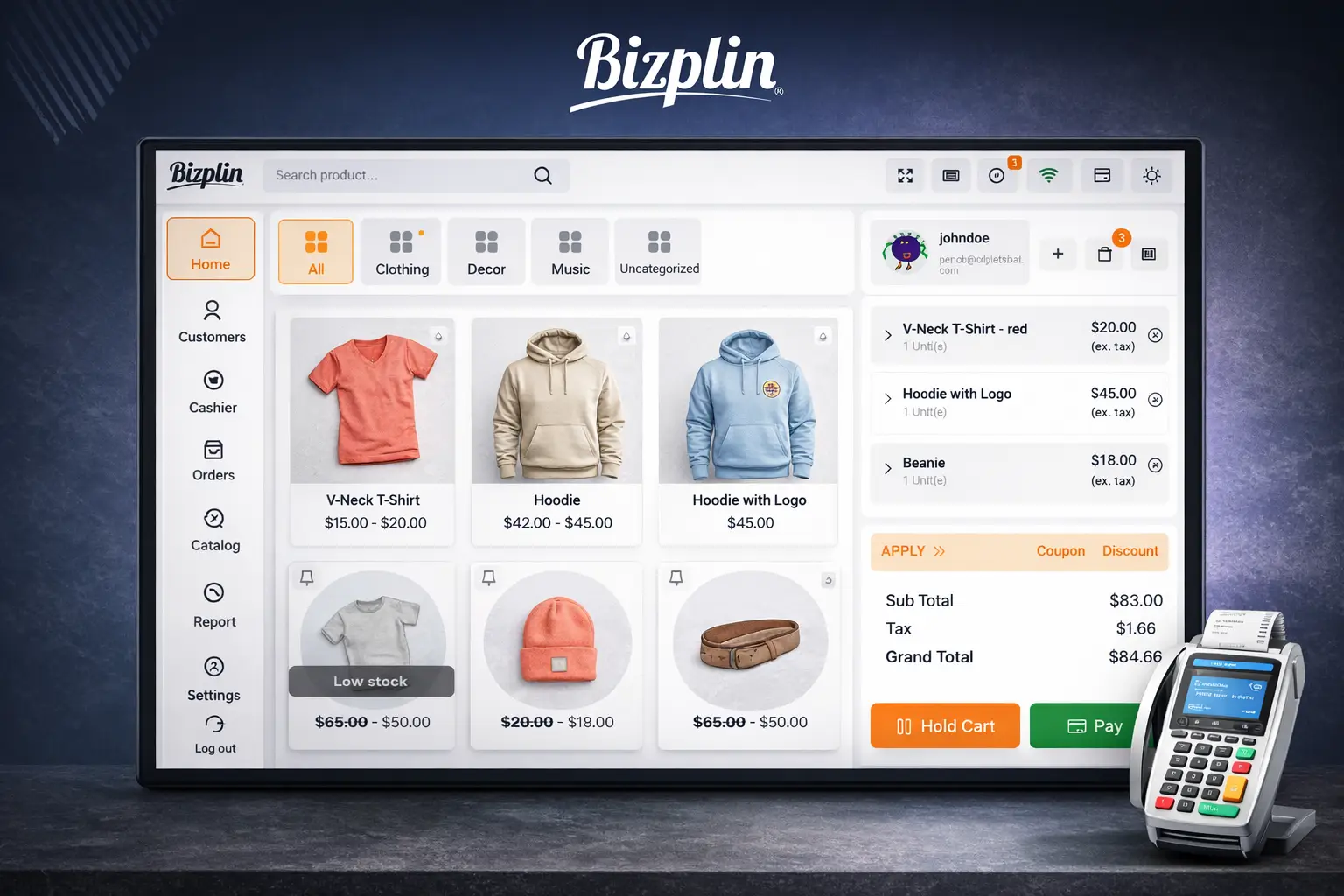
Agents can add new customers directly from their dashboard.
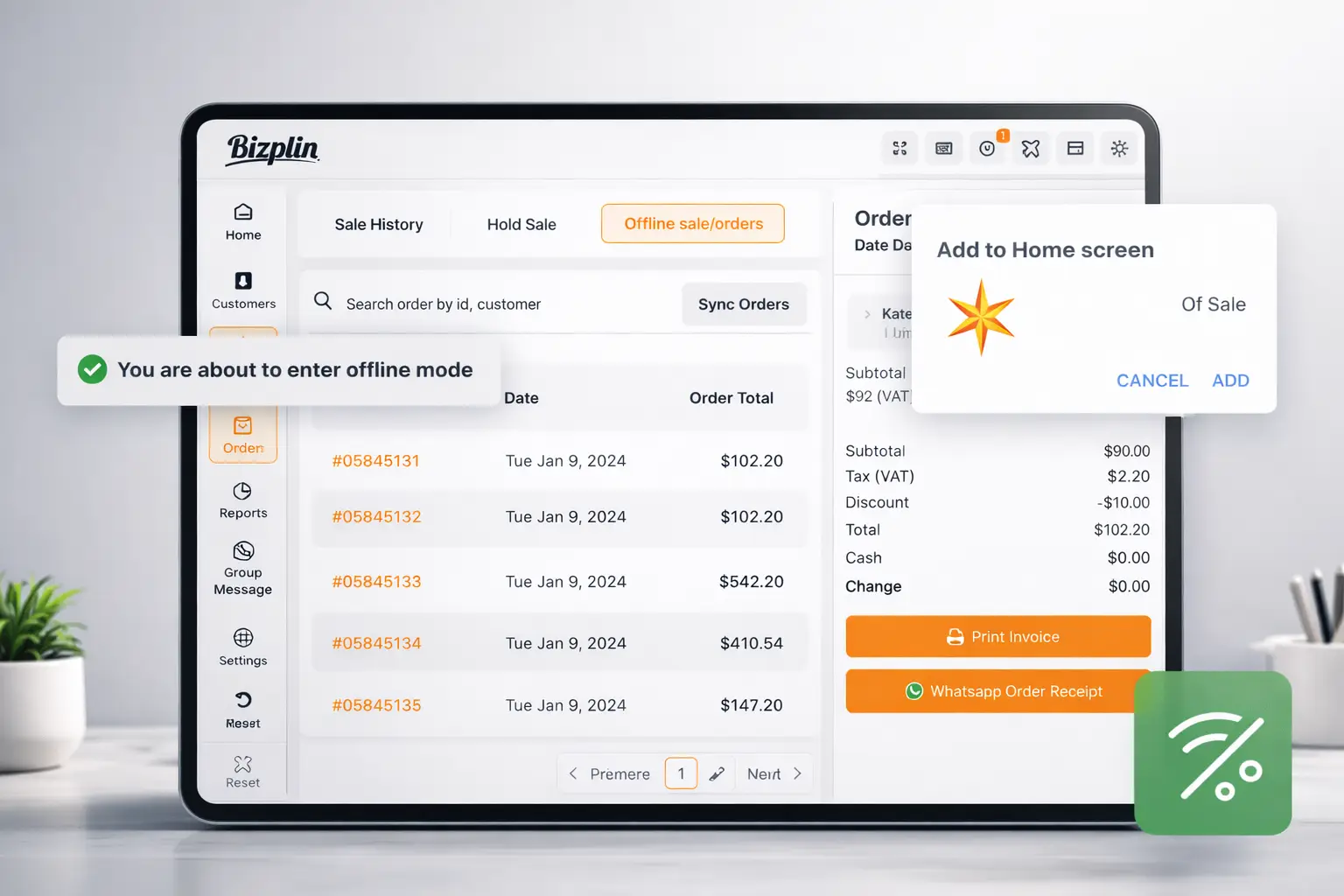
They can also sync sales data recorded in offline mode with the online store whenever they reconnect to the Internet.
The agent can place a cart on hold to process it later when needed.
In addition, they have access to sales history, held sales, and offline sales directly from their control panel.
Multi-Vendor Point of Sale System
Power your physical and online store with a fast, intuitive point of sale system fully integrated with Bizplin. Manage sales, inventory, and customers from one place, with automatic synchronization and advanced tools designed to help you sell more and sell smarter.
Manage multiple POS locations, agents, and products with complete control and ease.
Process sales in online or offline mode with automatic syncing once you reconnect.
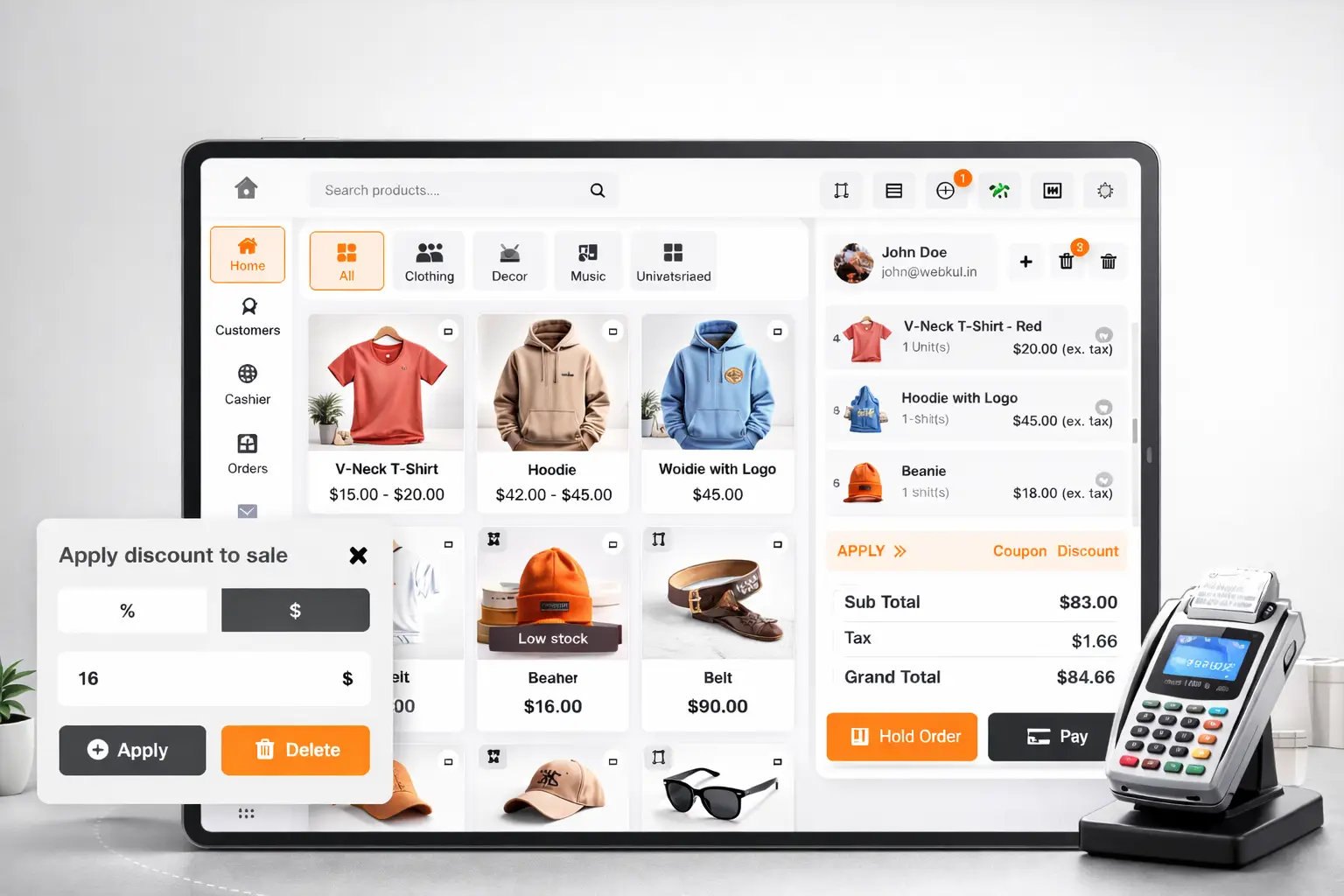
Apply discounts, coupons, and add custom products directly from the POS.
Access detailed sales, customer, and inventory reports to make better business decisions.
Order returns at the Point of Sale
Manage returns quickly and professionally directly from your point of sale. Provide a safer, more reliable shopping experience for your customers while automating inventory control.
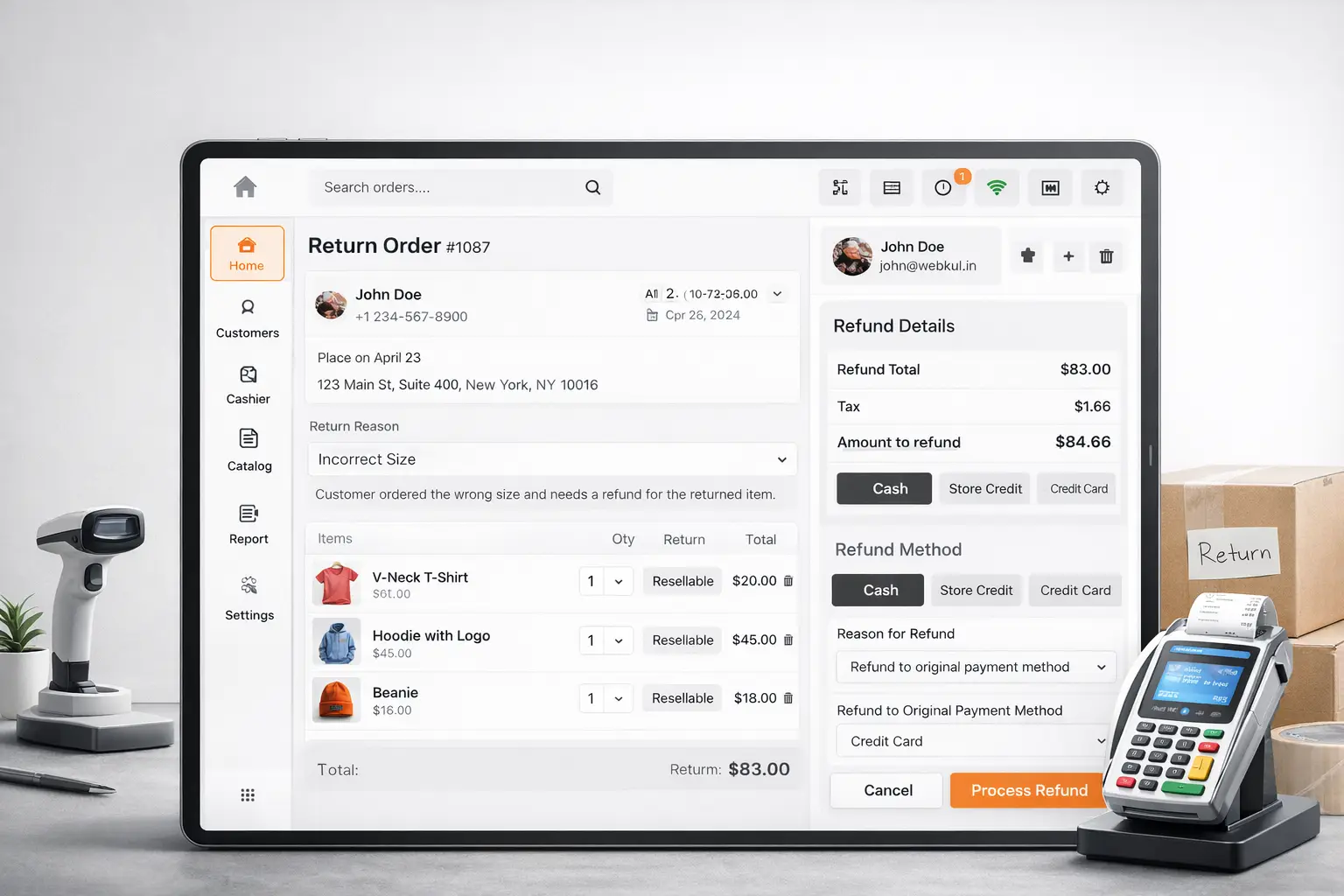
Allow refund requests for defective products or items that don’t meet expectations.
The cashier can process full or partial returns directly from the POS.
Inventory updates automatically once the return is approved.
Completely reduce manual work and prevent errors when adjusting stock levels.
Key features of the Point of Sale system for your online store
Multiple Point of Sale Locations
Easily manage all your physical stores from a single system. Create, organize, and control multiple POS locations without complications.
Efficient Customer Management
Create orders for both registered customers and new buyers in seconds. Deliver a smooth and personalized experience directly from the POS.
Smart Discounts
Boost your sales by applying fixed-amount or percentage-based discounts directly in the cart. Perfect for promotions, seasonal campaigns, and flash sales.
Coupon Application
Activate coupons and promotions instantly. The POS allows you to apply discount codes during checkout, strengthening your sales strategy.
Custom Products
Add products that aren’t available in your online store directly from the POS. Ideal for quick sales, one-of-a-kind items, or special services.
Cart on Hold
Never lose a sale. Place a cart on hold and continue with the next transaction whenever needed. Ideal for busy, high-traffic moments.
Multiple Payment Methods
Give your customers more options. Accept cash, card payments, or additional payment methods based on your system’s configuration.
Barcode Management
Generate and use barcodes for simple or variable products. Speed up sales, reduce errors, and improve inventory control.
Online and Offline Mode
Operate without interruptions. The POS works both with and without an internet connection, ensuring continuous sales in any situation.
Real-Time Synchronization
Your inventory, sales, and customer data sync automatically between your physical store and your online store on Bizplin. Total accuracy with zero extra effort.
Comprehensive POS Reports
Access detailed reports on sales, customers, inventory, and taxes. Make smarter decisions based on real-time, up-to-date data.
Sales Agent Management
Create, assign, and manage agents or cashiers for each point of sale. Monitor their performance and track their activity in real time.
Pinned or Featured Products
Highlight products you want to always appear at the top of the POS panel. Perfect for best-selling items or special promotions.
Custom Order Prefix
Better organize your in-store sales by adding a unique prefix to orders generated from the POS. Makes identification and tracking easier.
Offline Mode
The Bizplin point of sale allows users to manage sales even while operating offline.
The POS agent can create orders without an internet connection.
They can also access sales history, held sales, and offline sales directly from their dashboard.
However, in offline mode, it is not possible to add, edit, or delete customers.
Coupons also cannot be applied until the internet connection is restored.
Easily solve all your common questions
Yes. This POS system is specifically designed to integrate with Bizplin online stores and is included starting with the Bizplin plan. Once activated, you can manage both your online and in-store sales from a single synchronized dashboard.
Yes. The POS includes an offline mode that allows you to make sales, manage the cart, and record orders without a connection. When you reconnect, all data will automatically sync with your Bizplin online store.
Absolutely. The system lets you create multiple physical stores, add agents or cashiers, assign products, and manage inventory for each point of sale independently.
You can assign stock by store, use centralized inventory, generate and scan barcodes, update quantities, and view reports for low or out-of-stock products. Everything syncs in real time.
The POS accepts cash, card, and split payments. You can also integrate additional methods depending on your extensions or available payment systems.
Yes. The agent can apply coupons, percentage or fixed discounts, activate special price lists, and see how they are reflected directly in the cart total. It’s perfect for promotions and sales campaigns.
Yes. The system offers a desktop PWA, a mobile PWA, and a plugin for a native mobile app, allowing agents to work from any compatible device.